 Jianjing Reader
Your books, your shelf
Import TXT and EPUB from Files or a computer on the same Wi-Fi. Find a home for your books in grid, list or minimal shelf views.
IMPORT · ORGANIZE · OPEN AGAINYour own books. A page that feels right. Import TXT and EPUB files, settle in, and let reading feel simple again.
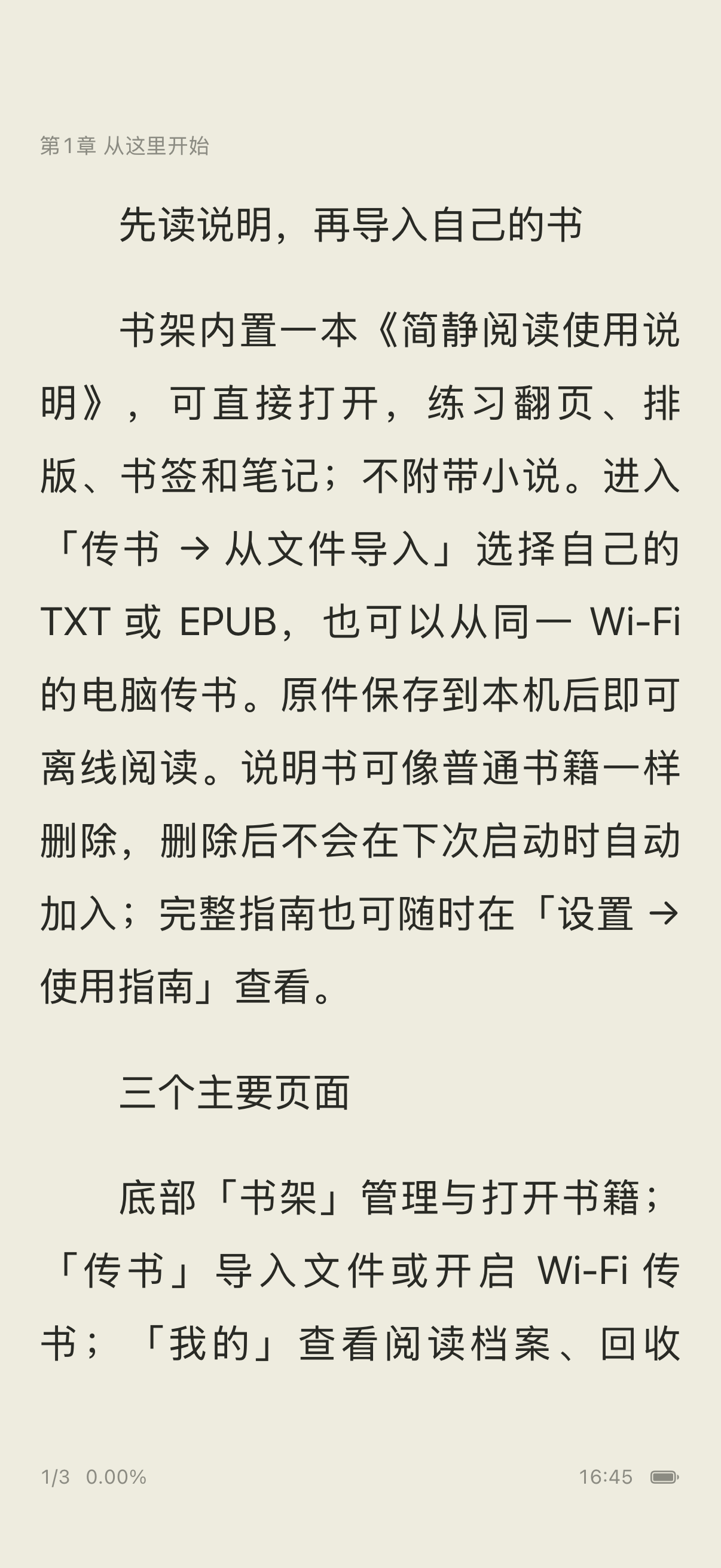
From opening a book to keeping a sentence. Thoughtful essentials, with more room for the words.
Import TXT and EPUB from Files or a computer on the same Wi-Fi. Find a home for your books in grid, list or minimal shelf views.
IMPORT · ORGANIZE · OPEN AGAINChoose fonts, size, spacing, colors and page turns. Chinese text-to-speech uses the voices available on your device.
TYPE · COLOR · PAGE TURNS · SPEECHMark a place, underline a passage or leave a note. Open the book again and continue from your saved reading position.
BOOKMARKS · UNDERLINES · NOTESReal screens from the reader. Familiar habits, with the controls you need just a tap away.
Hide the menus and settle into the page
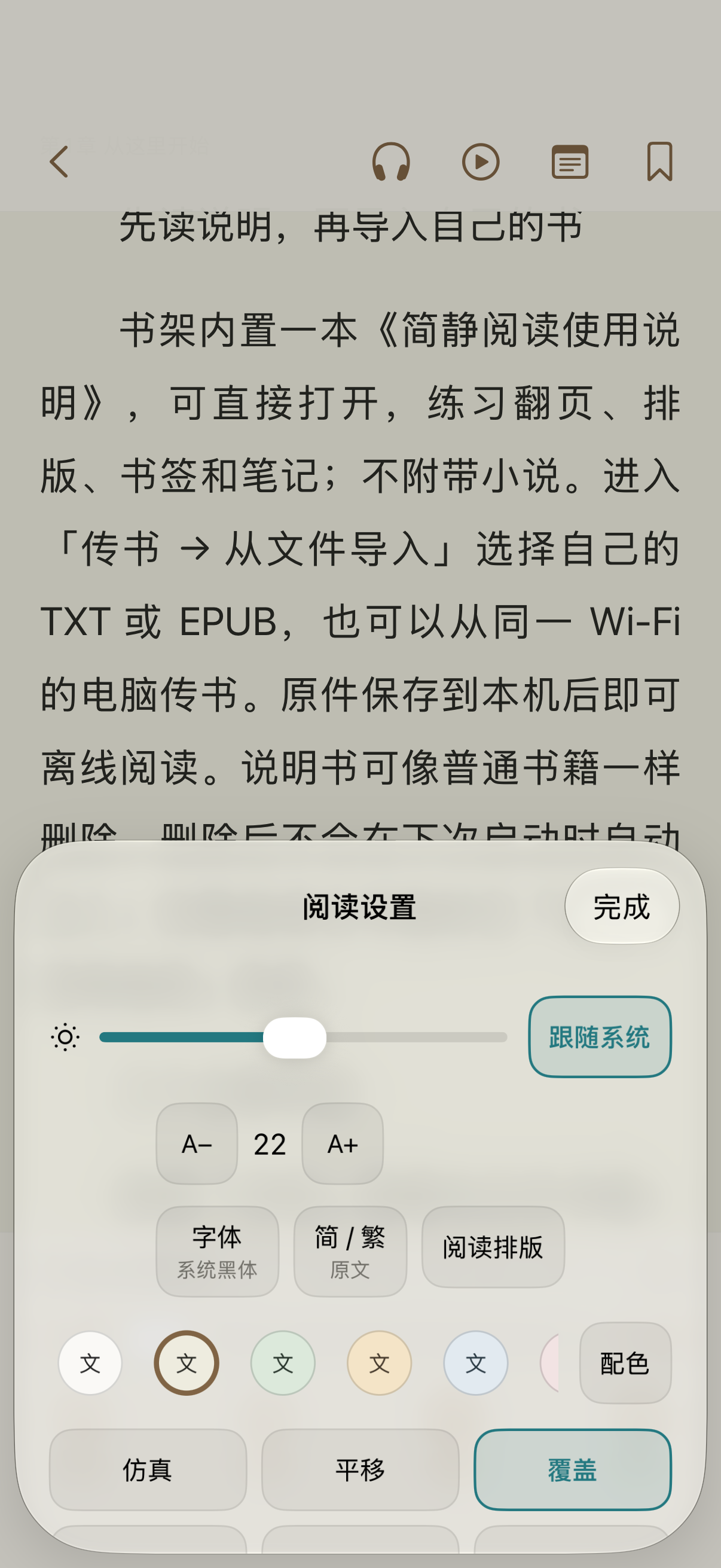
Your fonts, colors and page turns
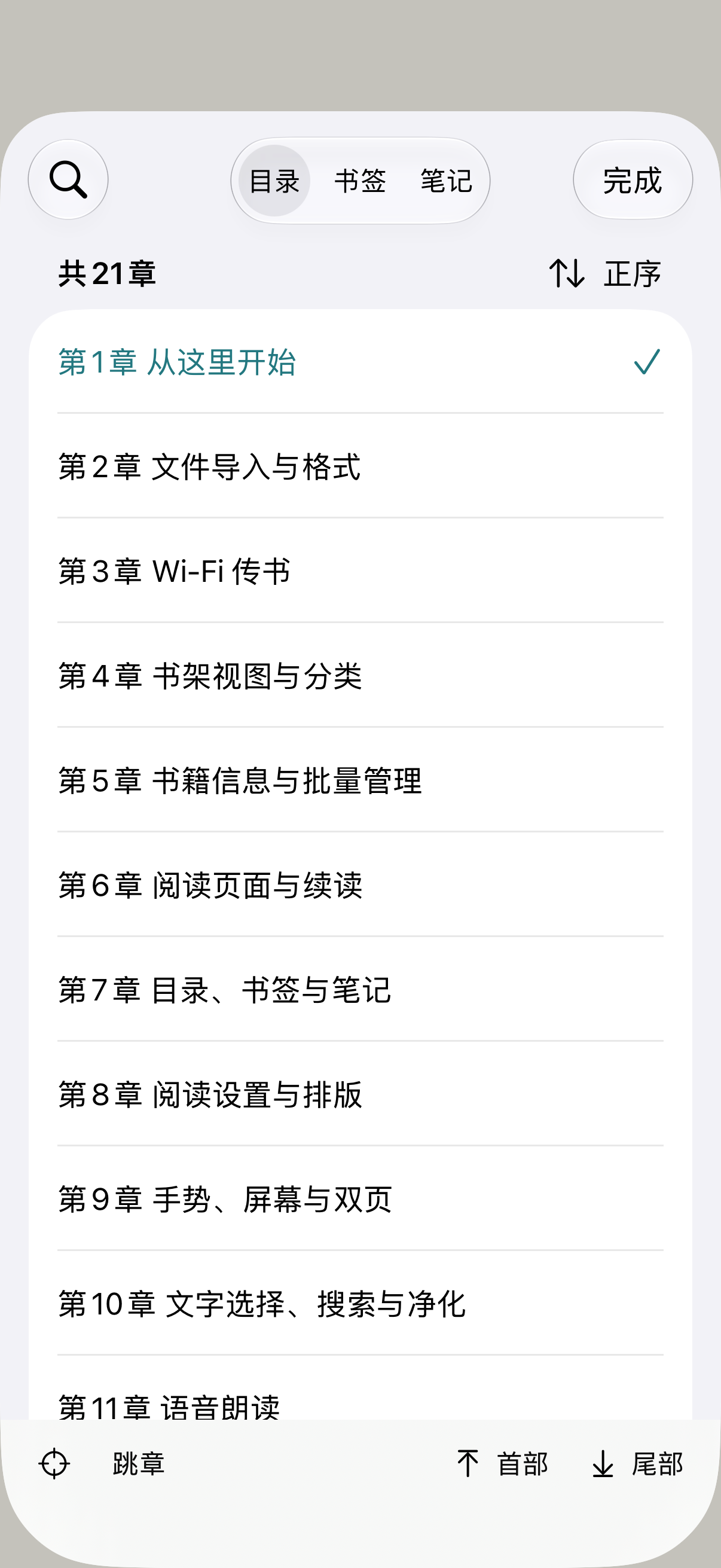
Chapters, bookmarks and notes
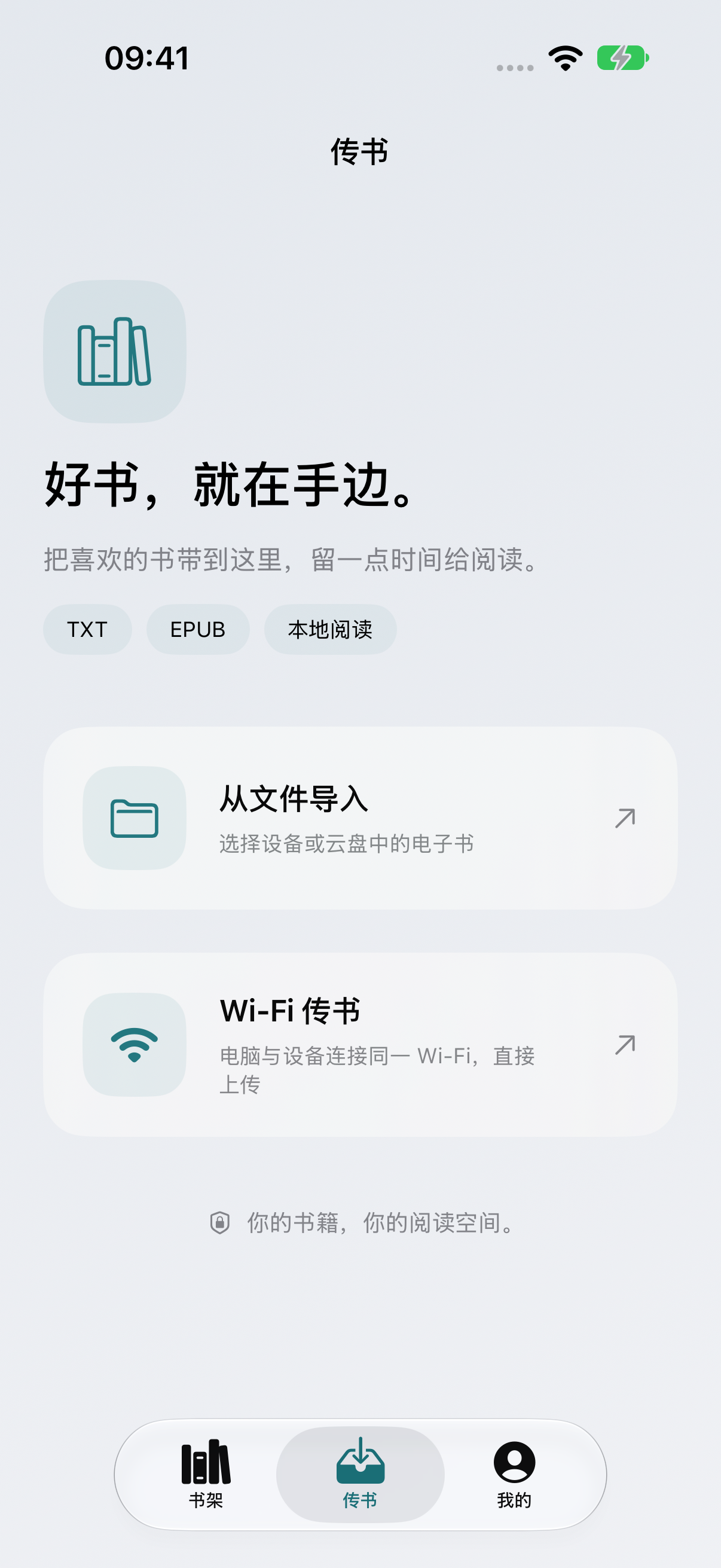
Import from Files or the same Wi-Fi
Screens show the user manual included with Jianjing Reader.
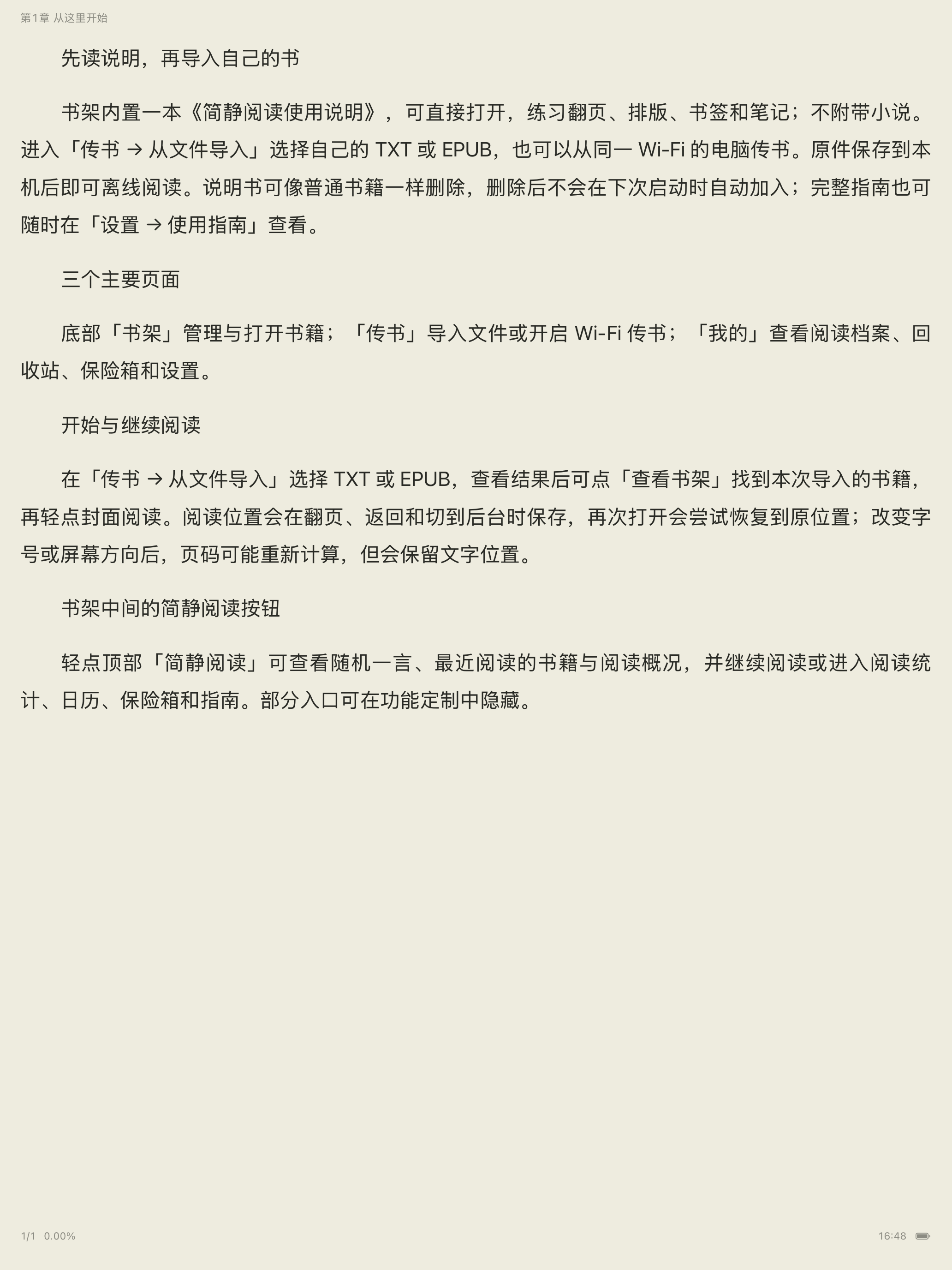
Spread out on iPad or keep a book close on iPhone. Your files and reading preferences stay in your hands. Locally saved books remain available offline.
The first iOS release is on its way. Download details and release status will be updated here.